







































Saving videos from Twitter can be incredibly useful in many situations. You might want to keep a funny meme, an educational video, or an inspiring clip for offline viewing or sharing outside the app. Since Twitter doesn’t have a built-in download option, users need to rely on alternative methods depending on their device and preferences. Whether you’re using a smartphone, tablet, or desktop computer, this guide explains every method on how to download Twitter videos step by step. We’ve also included tools, apps, and even workarounds for private videos to ensure you don’t miss anything.
Table of Contents
1. Online Downloaders (No Installation Required)
Online downloaders are the most convenient way to save videos directly from Twitter without installing any software. These web-based tools work across devices and are completely free to use.
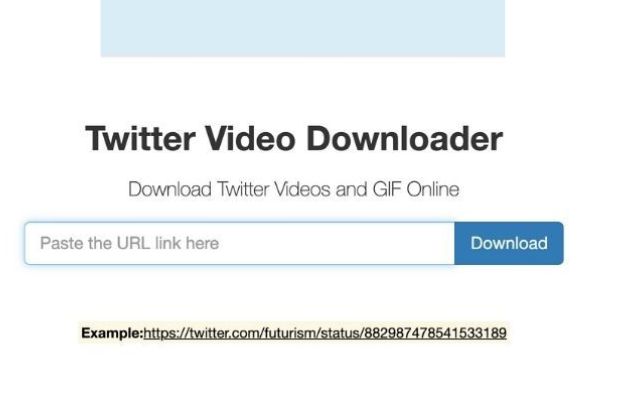
Popular Online Tools:
- TWDown.net
- SaveTweetVid
- TwitterVideoDownloader.com
- ssstwitter
- TwitSave
Step-by-Step Process:
- Open Twitter and find the tweet with the video you want to save.
- Tap or click the “Share” icon (an arrow pointing upward from a box).
- Select “Copy link to Tweet.”
- Visit any of the trusted downloader websites listed above.
- Paste the copied URL into the designated text box.
- Click the “Download” button.
- Choose your preferred video resolution (480p, 720p, etc.).
- The file will download directly to your device.
Pro Tip:
On SaveTweetVid, you can scan the QR code shown on the page using your phone to download the video directly to your mobile device.
2. How to Download Twitter Videos Using Browser Extensions
Browser extensions are a great choice for desktop users who frequently download videos. Once installed, these tools automatically detect Twitter videos and allow for one-click downloading without the need to copy and paste URLs.
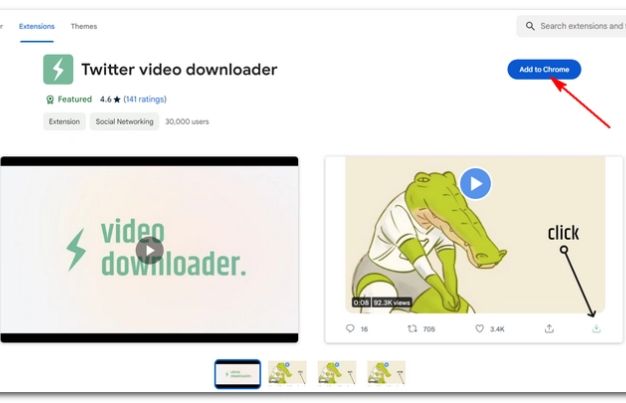
Best Browser Extensions:
- Video DownloadHelper (Chrome & Firefox)
- Twitter Media Downloader
- Video Downloader Plus
How to Use Extensions:
- Visit the Chrome Web Store or Firefox Add-ons page.
- Install one of the extensions listed above.
- Go to Twitter and find a tweet with a video.
- The extension icon should become active. Click on it.
- Select the video quality.
- Save the video to your device.
Why Use Extensions:
- No need to open new tabs or paste links.
- Saves time for frequent users.
- Works on most media formats.
3. Download Twitter Videos on Android Devices
Android users have several apps specifically designed to save videos from Twitter. These apps usually detect the copied tweet link automatically and allow you to save the video in just a few taps.
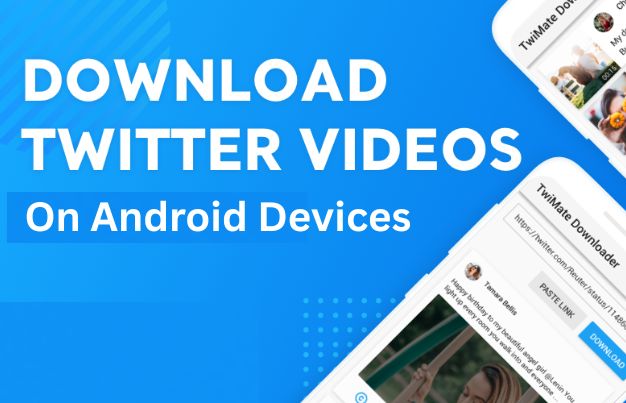
Recommended Android Apps:
- Download Twitter Videos by Ezra Dev
- Snaptube
- Video Downloader for Twitter
Steps to Download:
- Open Twitter and find the video you want.
- Tap the Share icon and select “Copy link to Tweet.”
- Open your video downloader app.
- The app may auto-detect the link; if not, paste it manually.
- Choose video resolution and tap Download.
- The video will be saved to your gallery or downloads folder.
Extra Features in Apps:
- Batch downloading
- Auto-detect clipboard links
- In-app media players
4. How to Download Twitter Videos iPhone (iOS Devices)
Due to iOS restrictions, downloading videos directly isn’t as simple. However, with the right apps and shortcuts, you can still get the job done safely.
Option 1: Documents by Readdle
- Install the Documents app from the App Store.
- Copy the tweet link.
- Open the app and go to its built-in browser.
- Visit a site like TWDown.net or SaveTweetVid.
- Paste the URL and download the video.
- Move the file to your Photos manually using the app’s file manager.
Option 2: TVDL Shortcut
- Download the TVDL Shortcut.
- From Twitter, tap Share > TVDL.
- Choose your desired resolution.
- The video will automatically be saved to your gallery.
Why This Works:
These methods work within Apple’s security limits and offer reliable ways to download without jailbreaking your device.
5. Saving Twitter Videos from DMs (Direct Messages)
Videos shared through Twitter DMs are private and can’t be accessed via public downloaders. In these cases, screen recording is the best workaround.
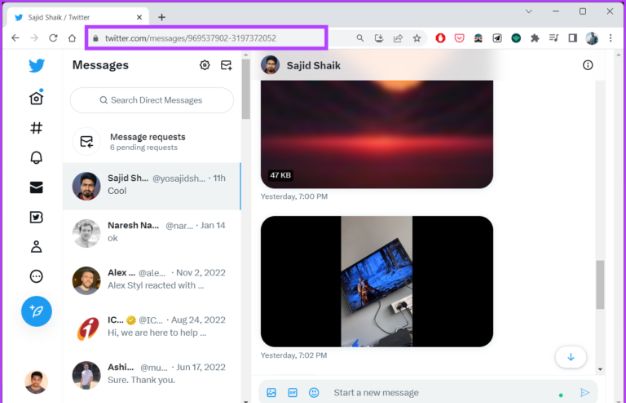
Desktop (Windows/Mac):
-
- Open the DM containing the video.
- Play the video.
- Use Xbox Game Bar (Windows) or QuickTime (Mac) to record your screen.
- Stop the recording and save the file.
Mobile (iOS/Android):
- iPhone: Swipe down to access Control Center and tap the screen record icon.
- Android: Use built-in screen recording or apps like AZ Screen Recorder.
Important Note:
This is currently the most reliable method for private videos as these cannot be downloaded using standard tools.
6. Downloading Twitter GIFs (Treated as Videos)
Twitter-hosted GIFs are not actual GIF files but short looping MP4 videos. This means you’ll need to use the same process as downloading regular videos. These clips often include reactions, memes, and short animations frequently shared in tweets.
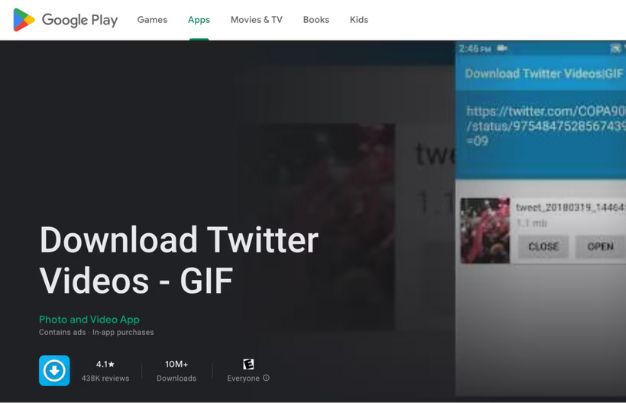
Steps:
- Copy the link to the tweet with the GIF.
- Use a downloader website like SaveTweetVid.
- Paste the link and download as MP4.
- (Optional) Use a converter to turn the video into a standard GIF format if needed.
7. How to Download High-Quality Twitter Videos
Want to ensure you’re downloading the best quality available? Many videos are uploaded in HD, and with the right tool, you can get them in full resolution.
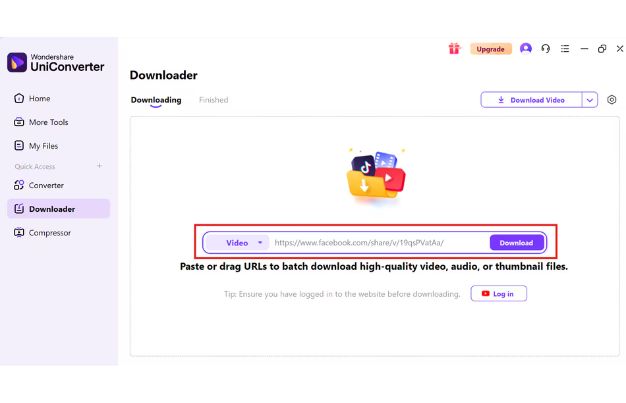
Tips:
- Use tools that offer 720p or 1080p options.
- Always choose the highest resolution in the dropdown.
- Use VLC or desktop-based tools for advanced options like bitrate control.
Keep in Mind:
You can’t improve the original quality—only download what was uploaded. If the video was posted in low resolution, no tool can upscale it effectively.
8. Advanced Method Using VLC Media Player
VLC Media Player is a powerful tool not just for playing videos but also for streaming and saving them using URLs. It offers more control and flexibility for advanced users.
Steps:
- Copy the tweet link.
- Open VLC > Media > Open Network Stream.
- Paste the link and hit Play.
- Go to Tools > Codec Information.
- Copy the video stream URL.
- Paste the stream URL in your browser.
- Right-click and choose “Save Video As.”
This is a powerful way to save files manually with more control.
9. Screen Recording as a Last Resort
When no download tool works, screen recording is your fallback. This method works on both desktop and mobile and is great for saving blocked, private, or deleted content. It’s a straightforward solution that captures exactly what’s on your screen. While it may not offer the best quality compared to direct downloads, it guarantees you won’t miss the video altogether.
- Blocked or deleted tweets
- Private videos (like in DMs)
- Videos within threads or replies
Tools to Use:
- Windows: Xbox Game Bar
- Mac: QuickTime Player
- iPhone: Control Center
- Android: Native recorder or AZ Screen Recorder
Play the video, hit record, and stop when finished. Trim if necessary.
Final Thoughts
Whether you use a browser extension, mobile app, online tool, or screen recording method, now you have everything you need to understand how to download Twitter videos across all devices. Stick to trustworthy tools, choose high-quality options when available, and respect copyright rules when saving or sharing media.
This guide ensures you’re always prepared to save any video you come across—quickly, safely, and in the best quality possible.
Frequently Asked Questions (FAQs)
1. Is it legal to download videos from Twitter?
Yes, for personal use. You shouldn’t repost or distribute copyrighted material without permission. Always respect intellectual property rights.
2. Can I download private videos or DMs from Twitter?
Downloader tools can’t access private videos. For DMs, the best option is to record your screen while the video plays.
3. Why is the video quality low after downloading?
Video quality depends on the original upload. If the poster is uploaded in 480p, no tool can upgrade it to HD.
4. Do these download tools work for all Twitter media formats?
Most tools work for standard videos and GIFs. Live streams and private media may not be supported.
5. Are there risks in using third-party downloaders or apps?
Yes some may contain pop-ups or malware. Stick with well-reviewed tools and never share your Twitter credentials.


